Dashboard Templates
Starting points for cross-batch dashboards. Each template comes as a SignalFlag metrics config, as an importable Grafana dashboard, or both, so you can use it in the web app or in a Grafana instance your team already runs. Copy one, replace what it tells you to, and adjust from there.
| Template | Answers | SignalFlag | Grafana |
|---|---|---|---|
| Release results | Is the branch getting better, and what is the state of the newest build? | config.resim.yml | grafana.json |
| Test throughput | How much are we testing, are tests ending early, and how often does something happen per hour of testing? | config.resim.yml | grafana.json |
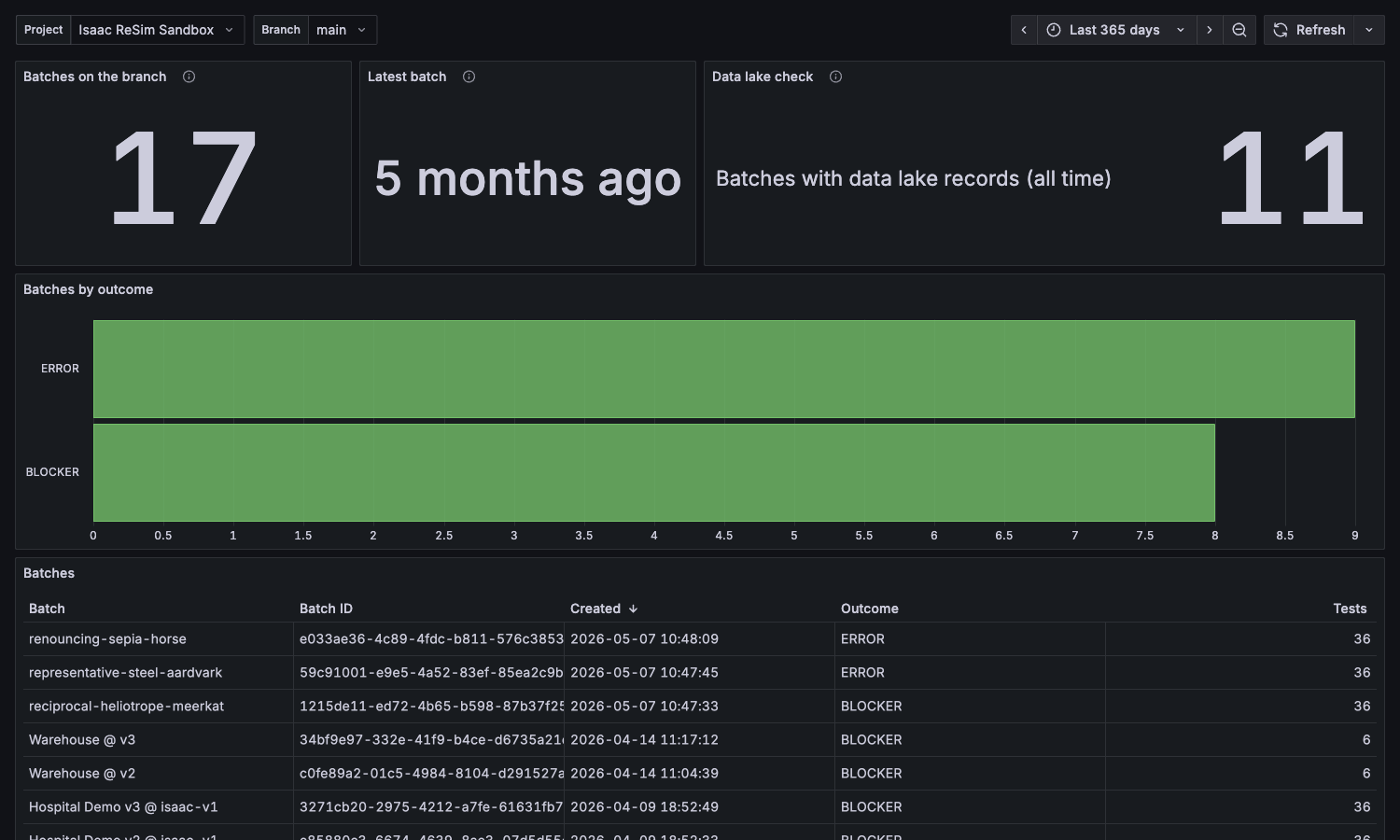
| Batches on a branch | Does my Grafana setup work? | grafana.json |
Agents connected to the MCP server can read the same templates as
resources (resim://examples/<template>/README.md, config.resim.yml and grafana.json),
and the dashboards, author-metrics-config and export-data skills point to them.
Using a template
In SignalFlag: merge the template's metrics, metrics sets and dashboards entries
into your branch's metrics config (keep your own topics), then run
signalflag metrics sync. The dashboards entry creates a
config-owned dashboard. To add the charts to
a dashboard you already have instead, drop the dashboards entry and add the metrics set to
that dashboard. The dashboard's day range limits the data, so the SQL has no time filter.
In Grafana: set up the Infinity data source as described in Query Data from External Tools, then Dashboards > New > Import, upload the JSON and pick that data source for SignalFlag datasource. Choose the project and branch at the top of the dashboard.
Grafana prerequisites:
- Grafana 12 (the templates are tested on 12.1).
- The Infinity data source plugin,
with a read-only API key as bearer token and
https://bff.resim.aiandhttps://api.resim.aias allowed hosts. - The Grafana Image Renderer, to export panels as images and to let an agent read panels through the Grafana MCP server.
Every Grafana panel reads the data lake with a POST to
https://bff.resim.ai/api/v1/query and follows the
dashboard's time range with
time >= TIMESTAMP '${__from:date:YYYY-MM-DD HH:mm:ss}' AND time < TIMESTAMP '${__to:date:YYYY-MM-DD HH:mm:ss}'.
Keep that form when you edit a query: functions such as from_unixtime bypass the query
cache, and the slower query can hit the 55 second
limit.
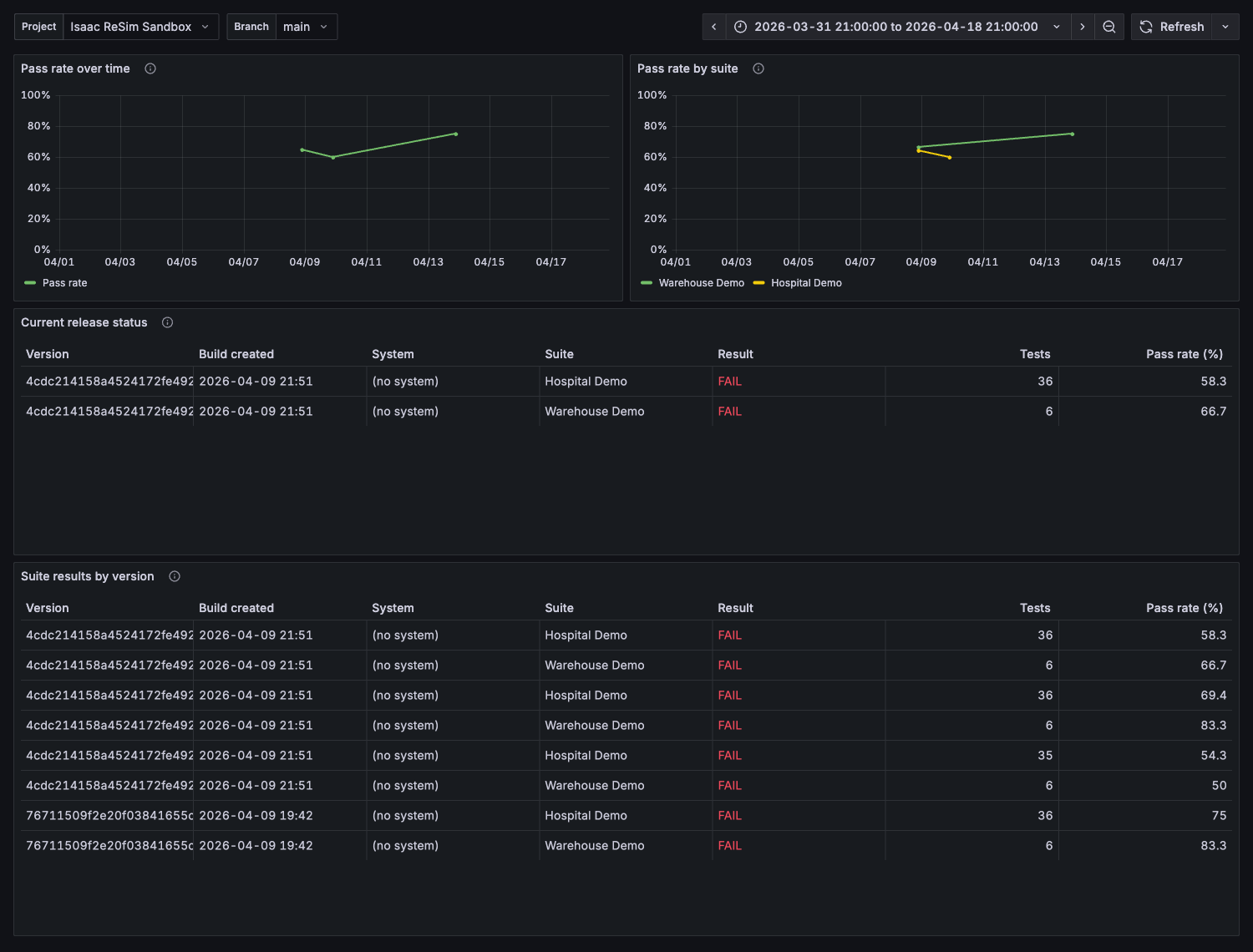
Release results
Uses only the built-in metadata topic, so it works in any project without changes.
| Chart | Type | What it shows |
|---|---|---|
| Pass rate over time | Line | Daily pass rate across all test suites. |
| Pass rate by suite | Line | Daily pass rate, one line per test suite. |
| Current release status | Table | Result, test count and pass rate per suite for the newest build of each system. |
| Suite results by version | Table | The same columns for every build, newest first. |
How the SQL counts:
- Warnings count as passing. Cancelled and in-flight tests are left out by keeping only
PASSED,WARNING,BLOCKERandERROR. - A batch launched without a test suite still gets a suite, named after the batch and ending
with its ID.
strpos(test_suite_name, CAST(batch_id AS VARCHAR)) > 0finds those: the line charts leave them out, and the tables show them as(no suite) <batch name>.
metrics:
  Pass rate by suite:
    type: dashboard
    description: One line per test suite. A suite's line starts the first day it ran.
    query_string: |
      SELECT test_suite_name AS group_name,
             date_trunc('day', time) AS "Day",
             round(100.0 * count_if(job_conflated_status IN ('PASSED', 'WARNING')) / count(*), 1) AS "Pass rate (%)"
      FROM metadata
      WHERE job_conflated_status IN ('PASSED', 'WARNING', 'BLOCKER', 'ERROR')
        AND strpos(test_suite_name, CAST(batch_id AS VARCHAR)) = 0
      GROUP BY test_suite_name, date_trunc('day', time)
      ORDER BY 2
    template_type: system
    template: line
The full config has all four metrics, the metrics set and the dashboard.
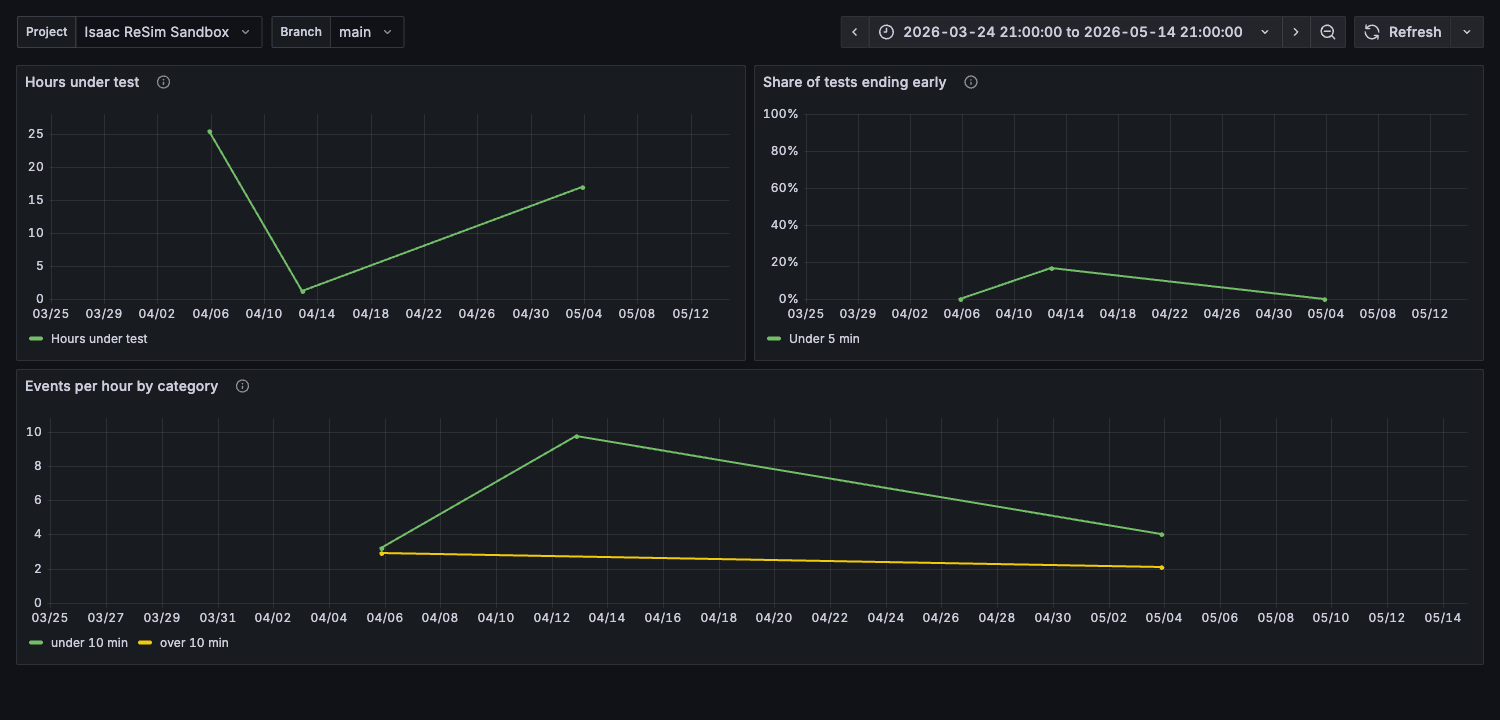
Test throughput
Normalises counts by hours under test, so a rate stays comparable when the amount of testing changes from week to week.
| Chart | Type | What it shows |
|---|---|---|
| Hours under test | Line | Total test runtime per week, from the built-in test_length_seconds topic. |
| Share of tests ending early | Line | Percentage of tests per week shorter than 5 minutes. A rise usually means the system stopped before the scenario finished, which a per-hour rate would hide. |
| Events per hour by category | Line | Weekly event count per category, divided by that week's hours under test. |
What to replace:
my_eventsandcategoryin "Events per hour by category": one of your own topics and the column to split by, such as a detection class, a sensor or a diagnostic level. Until you do, this chart fails with an unknown table. Remove the placeholdermy_eventstopic from the config once the query uses a real one.300seconds in "Share of tests ending early": the shortest run that still counts as a complete test.'week'indate_trunc:'day'for busy branches.
metrics:
  Events per hour by category:
    type: dashboard
    query_string: |
      WITH hours AS (
        SELECT date_trunc('week', m.time) AS week,
               sum(t.test_length) / 3600.0 AS hours
        FROM test_length_seconds t
        JOIN metadata m ON m.job_id = t.job_id
        GROUP BY 1
      ),
      events AS (
        SELECT date_trunc('week', m.time) AS week,
               e.category,
               count(*) AS n
        FROM my_events e
        JOIN metadata m ON m.job_id = e.job_id
        GROUP BY 1, 2
      )
      SELECT events.category AS group_name,
             hours.week AS "Week",
             round(events.n / hours.hours, 2) AS "Events / hour"
      FROM hours
      JOIN events ON events.week = hours.week
      ORDER BY 2
    template_type: system
    template: line
Batches on a branch
A Grafana starter for checking a new data source. It counts the branch's batches through the
SignalFlag REST API (total, latest, by outcome, and a table), and its Data lake check
panel counts batches with data lake records through the query API (/api/v1/query). If that
panel fails, the key or the allowed hosts are wrong.